

Ultimate List of the 10 Best DevSecOps Tools Of 2026

10 Best DevSecOps Tools Shortlist


Choosing the right DevSecOps tools can significantly enhance security integration in the software development lifecycle and improve compliance, risk management, and deployment speed - whether you need to automate security checks, enforce policies, or mitigate vulnerabilities early in development.
However, finding the best fit can feel overwhelming with so many options available - and the challenge of balancing security with development efficiency.
In this article, I draw on my experience as a DevSecOps specialist and hands-on testing of dozens of security automation tools to break down their capabilities, ideal use cases, and how they can help you achieve faster, more secure software delivery with minimal disruption to development workflows.
Why Trust Our Software Reviews
We’ve been testing and reviewing software since 2023. As tech leaders ourselves, we know how critical and difficult it is to make the right decision when selecting software.
We invest in deep research to help our audience make better software purchasing decisions. We’ve tested more than 2,000 tools for different tech use cases and written over 1,000 comprehensive software reviews. Learn how we stay transparent & our software review methodology.
Best DevSecOps Tools Summary
This comparison chart summarizes pricing details for my top DevSecOps tools selections to help you find the best one for your budget and business needs.
| Tool | Best For | Trial Info | Price | ||
|---|---|---|---|---|---|
| 1 | Best for full-stack application monitoring | 14-day free trial | From $15/host/month (billed annually) | Website | |
| 2 | Best for context-aware SAST | Free plan available | From $200/month | Website | |
| 3 | Best for cloud monitoring and AI insights | 30-day free trial + free demo available | From $10/month (billed annually) | Website | |
| 4 | Best for performance engineering and analysis | Free plan available | From $99/user/month | Website | |
| 5 | Best for AI-driven end-to-end testing | 14-day free trial | Pricing upon request | Website | |
| 6 | Best for creating form endpoints in minutes | Not available | From $10/user/month | Website | |
| 7 | Best for real-time observability and analytics | Not available | From $10/user/month (billed annually) | Website | |
| 8 | Best for observability and debugging in production systems | Free plan + demo available | From $130/month | Website | |
| 9 | Best for comprehensive CI/CD in a single application | 30-day free trial + Free demo | From $19/user/month | Website | |
| 10 | Best for managing a multi-cloud environment | Not available | Pricing upon request | Website |

Best DevSecOps Tools Reviews
Below are my detailed summaries of the best DevSecOps tools that made it onto my shortlist. My reviews offer a detailed look at the key features, pros & cons, integrations, and ideal use cases of each tool to help you find the best one for you.
Datadog
Best for full-stack application monitoring

Datadog is a powerful tool designed to provide extensive full-stack application monitoring. With its in-depth insights across your entire stack, it firmly earns the title of the best comprehensive application surveillance tool.
Why I Picked Datadog: I chose Datadog for its unmatched ability to delve deep into every layer of your applications. Its breadth of monitoring capabilities stands out, uniquely suited for teams seeking a thorough understanding of their entire stack. That's why it's the best for full-stack application monitoring.
Standout features & integrations:
Datadog offers real-time performance dashboards, extensive automation, and advanced alerting capabilities. These features empower you to stay proactive about potential issues.
On the integration front, Datadog supports many platforms, including AWS, Google Cloud, Azure, and many more, ensuring compatibility with your existing infrastructure.
Pros and Cons
Pros:
- Wide range of integrations
- Extensive automation features
- Comprehensive full-stack monitoring
Cons:
- Can be overwhelming due to the sheer volume of data
- Higher cost compared to some alternatives
- Can be complex for beginners

Zeropath
Best for context-aware SAST
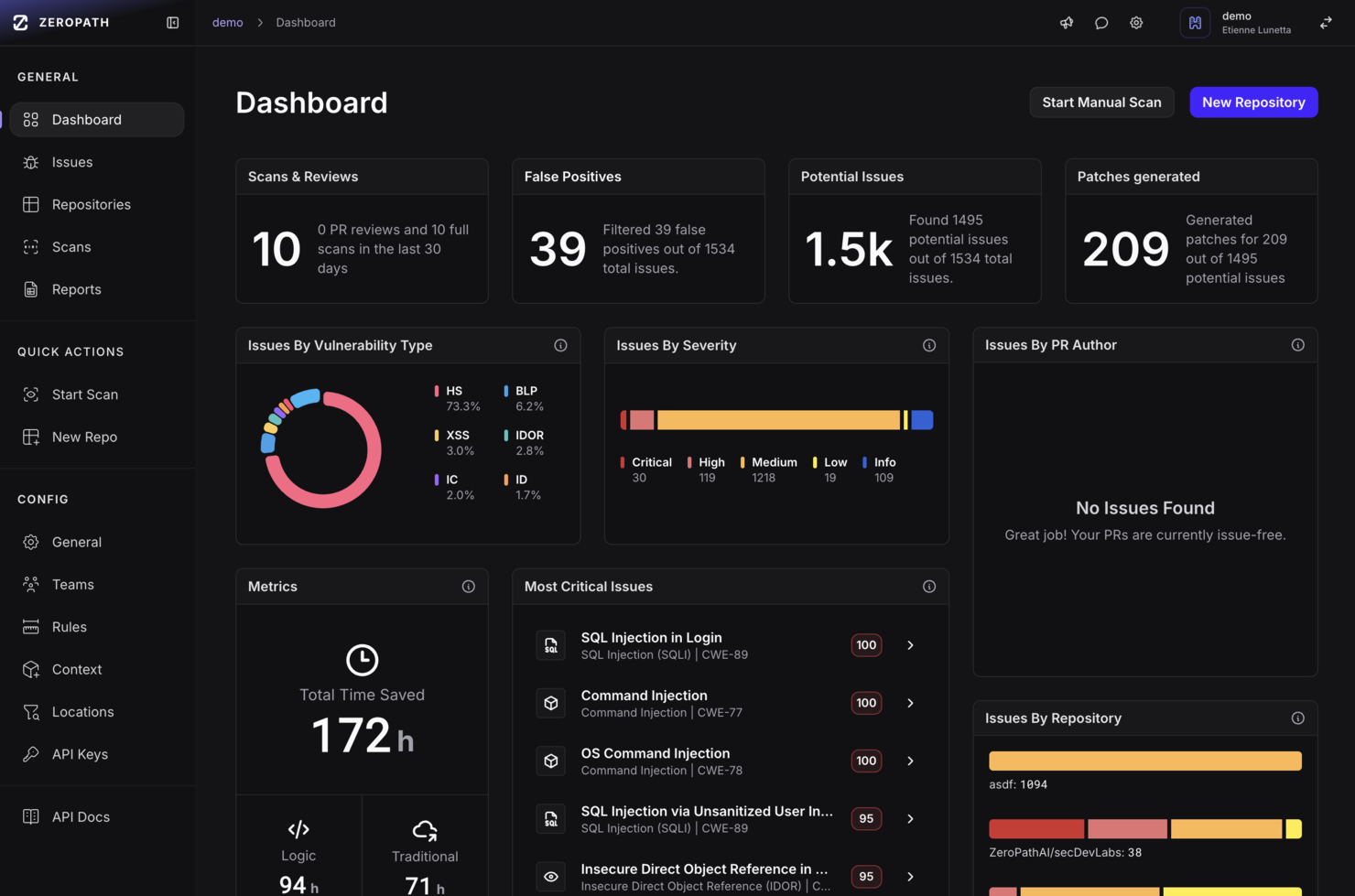
ZeroPath provides an AI-native application security platform designed to cater to security-conscious companies aiming to enhance their application security processes. By offering tools such as Static Application Security Testing (SAST) and Software Composition Analysis (SCA), ZeroPath intelligently identifies and auto-fixes vulnerabilities, making it particularly appealing to businesses that prioritize minimizing false positives and gaining actionable insights.
Why I Picked Zeropath
I picked ZeroPath because it brings a distinctive focus on detecting exploitable vulnerabilities (not just surface-level issues) through features like context-aware SAST with exploitability scoring, and one-click AI-generated patching that helps developers act on security findings without leaving the code flow. These align directly with what your team may struggle with—slow builds, noisy alerts, and friction between security and development—and help make security feedback feel like part of the workflow rather than an obstacle.
Zeropath Key Features
In addition to its core vulnerability remediation capabilities, Zeropath offers several other valuable features:
- Real-Time Feedback: The platform provides immediate insights to developers, helping them address security issues before code merges.
- Incremental Scanning: Analyzes only changed code paths, so PR checks complete in under 60 seconds.
- Natural-Language Policy Engine: Lets you write code-security rules in plain language and enforce them across repositories.
- Developer-Friendly Integrations and Toolchain Support: Includes VS Code plugin, CLI tools, REST API and visual application analysis for embedding security into dev workflows.
Zeropath Integrations
Integrations include GitHub, GitLab, Bitbucket, Azure DevOps, Jira, Linear, Slack and other security tools.
Pros and Cons
Pros:
- Unified dashboard and analytics gives visibility into security posture and velocity metrics
- One-click or near-automatic remediation support for many vulnerabilities
- Catches logic flaws and hidden authorization issues that many scanners miss
Cons:
- May be over-featured for small teams that only need basic vulnerability scanning
- As with any AI-powered tool, trusting the automation (patch generation, triage) requires verification

Site24x7
Best for cloud monitoring and AI insights
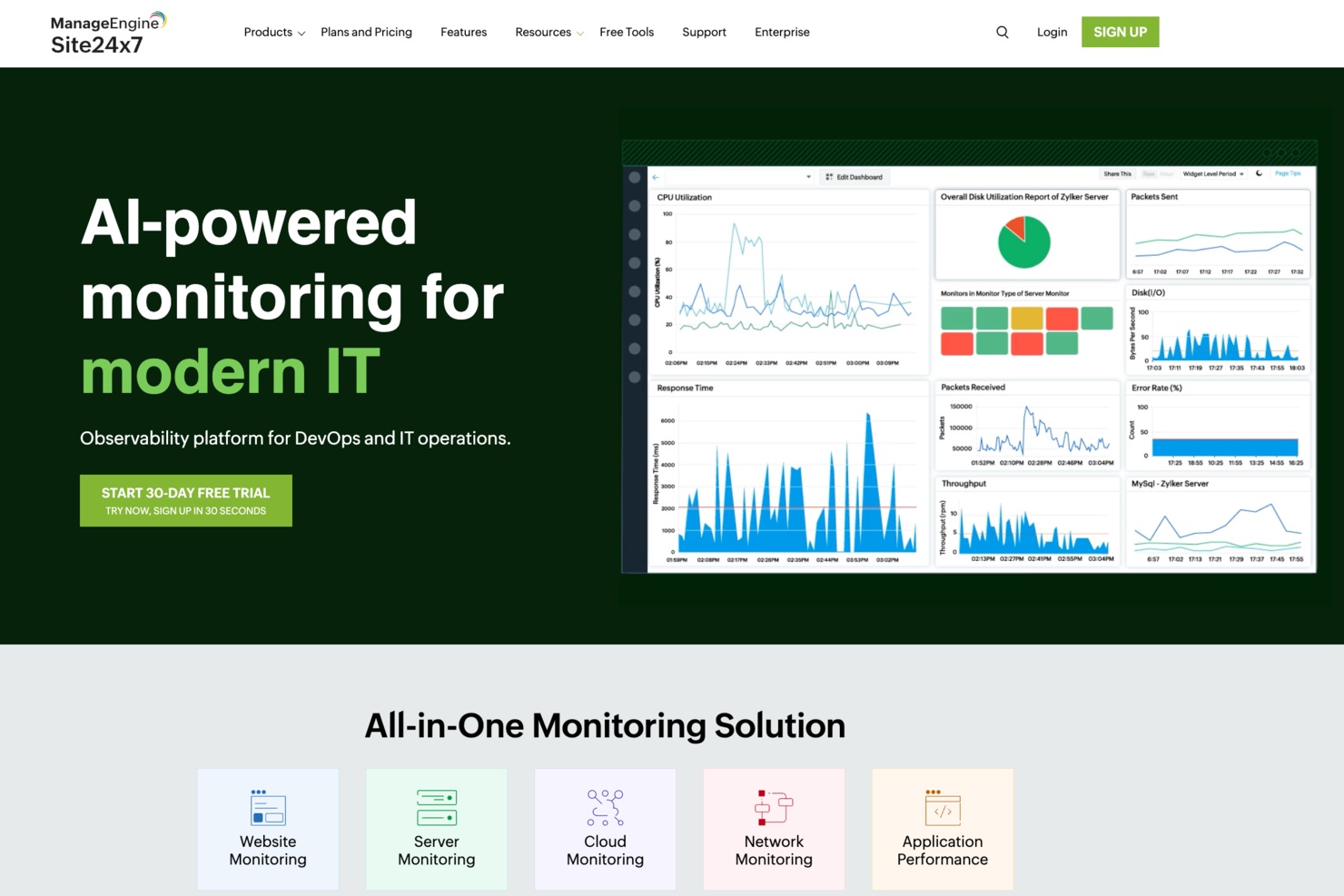
Site24x7 offers a comprehensive suite of monitoring tools tailored for DevSecOps, including website monitoring, application performance monitoring, log management, and cloud cost management. It caters to IT professionals and businesses seeking to enhance operational efficiency and security. By emphasizing proactive diagnostics and risk assessment, Site24x7 stands out as a valuable resource for organizations focused on maintaining robust and secure digital environments.
Why I Picked Site24x7
I picked Site24x7 because it excels in providing comprehensive cloud monitoring and AI-driven insights, which are crucial for DevSecOps tools. Its ability to seamlessly integrate with major cloud platforms like AWS, Azure, and GCP allows your team to monitor cloud resources effectively. The platform's AI-driven IT monitoring offers proactive diagnostics, ensuring that potential issues are identified before they impact operations. In my experience, the extensive plugin integrations further enhance its capability to manage diverse IT environments, making it a strong contender for organizations aiming to maintain security and efficiency.
Site24x7 Key Features
Aside from its cloud monitoring capabilities, I also found the following features to be particularly useful:
- Real User Monitoring: This feature helps you understand the actual user experience by tracking how real users interact with your applications.
- Synthetic Web Transaction Monitoring: It allows you to simulate user transactions to ensure that your application performs well under various conditions.
- Network Monitoring: This provides insights into your network's health, helping identify and resolve connectivity issues.
- Log Management: It enables you to collect, analyze, and manage logs from various sources, aiding in troubleshooting and security monitoring.
Site24x7 Integrations
Site24x7 offers a variety of native integrations to enhance its monitoring capabilities. Integrations include Slack, Microsoft Teams, Zoho Cliq, Discord, Telegram, Jira, ServiceDesk Plus MSP Cloud, Amazon EventBridge, and Zapier.
Pros and Cons
Pros:
- AI-driven anomaly detection
- Real and synthetic user monitoring
- Broad DevSecOps monitoring coverage
Cons:
- Alert customization can feel restrictive
- Limited deep security testing
New Product Updates from Site24x7
Site24x7 Adds Cloud Resources Dashboard and ECS Failure Alerts
Site24x7 introduces a Cloud Resources dashboard and new Amazon ECS failure alerts. These updates improve cloud visibility and help teams catch service issues earlier. For more information, visit Site24x7’s official site.
 .
.
Best for performance engineering and analysis

New Relic is a tool that offers observability and real-time analytics to help developers and operations teams understand, debug, and improve the performance of their applications. Its strong focus on performance analysis and engineering excels at helping teams refine and maintain high-quality, high-performance applications.
Why I Picked New Relic: I picked New Relic due to its robust suite of features aimed at performance analysis, including detailed analytics and flexible data visualizations. This tool offers real-time insights for developers to quickly address performance issues, making it the top choice for performance engineering and analysis.
Standout features & integrations:
New Relic features extensive real-time analytics, distributed tracing, and error tracking, which are critical for a detailed understanding of application performance.
It also integrates with various other tools like AWS, Azure, and GCP, thus extending its functionality across multiple platforms.
Pros and Cons
Pros:
- Broad range of integrations
- Real-time insights for faster troubleshooting
- Powerful performance analytics
Cons:
- Customization can be complex
- Steep learning curve for some users
- Higher price point
Mabl
Best for AI-driven end-to-end testing

mabl is an intelligent end-to-end test automation platform that offers AI-driven testing capabilities. As the solution is equipped with machine learning algorithms, it proves highly effective at managing and executing complex testing scenarios, justifying its standing as the best for AI-driven end-to-end testing.
Why I Picked mabl: In my evaluation, mabl stood out for its innovative application of AI to the testing landscape. I chose mabl because it allows teams to create, execute, and maintain reliable tests quickly. What makes it unique is its use of machine learning to adapt tests as your application evolves - this feature truly justifies its place as the best for AI-driven end-to-end testing.
Standout features & integrations:
mabl's AI learning capabilities truly set it apart - it auto-heals tests, meaning they evolve with your application, saving significant time during the testing phase. Furthermore, its easy-to-read test output helps users identify issues quickly.
On the integration front, mabl plays well with others, providing integration with popular CI/CD and IDE tools such as Jenkins, Bamboo, CircleCI, and more.
Pros and Cons
Pros:
- Clear and useful test output
- Extensive integration capabilities
- Intelligent auto-healing tests
Cons:
- Limited capabilities for performance testing
- Requires learning to fully utilize AI capabilities
- Could be pricey for small teams

Best for creating form endpoints in minutes

Headlessforms is a specialized tool that helps developers quickly set up form endpoints. This ability to facilitate speedy form creation makes it an optimal choice for tasks requiring swift form integration, cementing its place as the best for creating form endpoints in minutes.
Why I Picked Headlessforms: When it comes to setting up forms, speed and reliability matter, that’s why I picked Headlessforms. Its emphasis on rapid-form endpoint creation makes it a standout. This tool does a specific job well, which is why it's best for anyone needing to create form endpoints in record time.
Standout features & integrations:
Headlessforms offers a streamlined form creation process that bypasses server setup, a huge timesaver. It also delivers robust spam filtering features, an essential open-source component of any form tool.
For integrations, Headlessforms shines by providing webhooks that can easily connect with any of your existing systems.
Pros and Cons
Pros:
- Versatile webhooks for integrations
- Strong spam filtering
- Swift form endpoint creation
Cons:
- Lack of advanced customization options
- Might be overkill for occasional form creators
- Limited to form-related tasks

Best for real-time observability and analytics
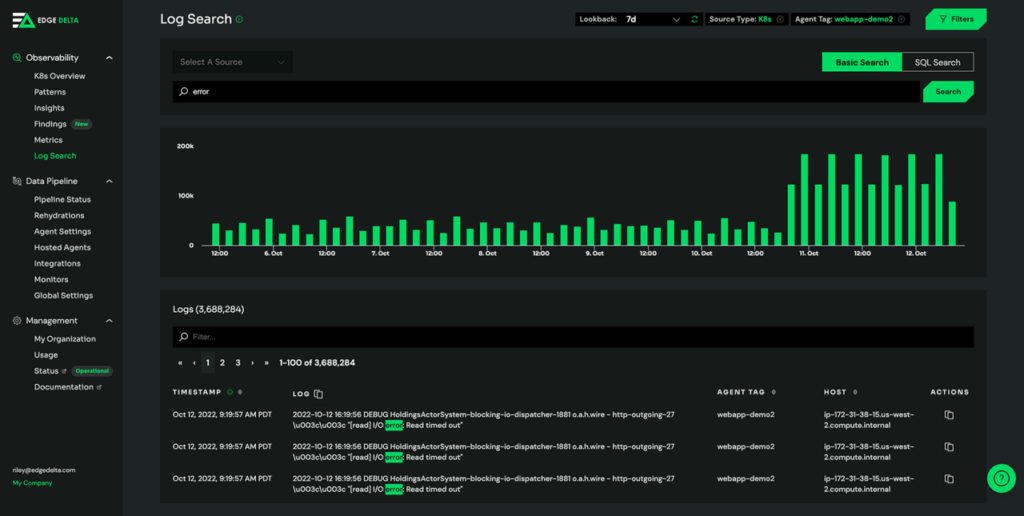
Edge Delta is a cutting-edge DevSecOps tool with real-time observability and analytics powered by machine learning. Get immediate insights into your system's performance and security.
Why I Picked Edge Delta: Edge Delta delivers a powerful solution for observability and analytics that sets it apart. It harnesses real-time data to give you insight into your DevOps processes. I chose it for the list due to its exceptional capacity to handle massive volumes of data with minimal latency, enabling instant response to potential issues. It shines as the best for real-time observability and analytics, as its performance-focused design ensures timely and accurate insight.
Standout features & integrations:
Edge Delta boasts the ability to process and analyze data at the source, a unique feature that can drastically reduce costs and time for data transport and storage. Its autonomous monitoring capability also canenables you to pinpoint issues swiftly and reliably.
For integrations, it stands strong with major data platforms such as AWS, Azure, GCP, and more, providing a highly compatible solution that fits into diverse technological ecosystems.
Pros and Cons
Pros:
- Broad compatibility with major data platforms
- Autonomous monitoring capability
- Efficient real-time analytics
Cons:
- Customization options can be overwhelming
- The cost may be higher for smaller DevSecOps teams
- Requires a steep learning curve for new users

Best for observability and debugging in production systems
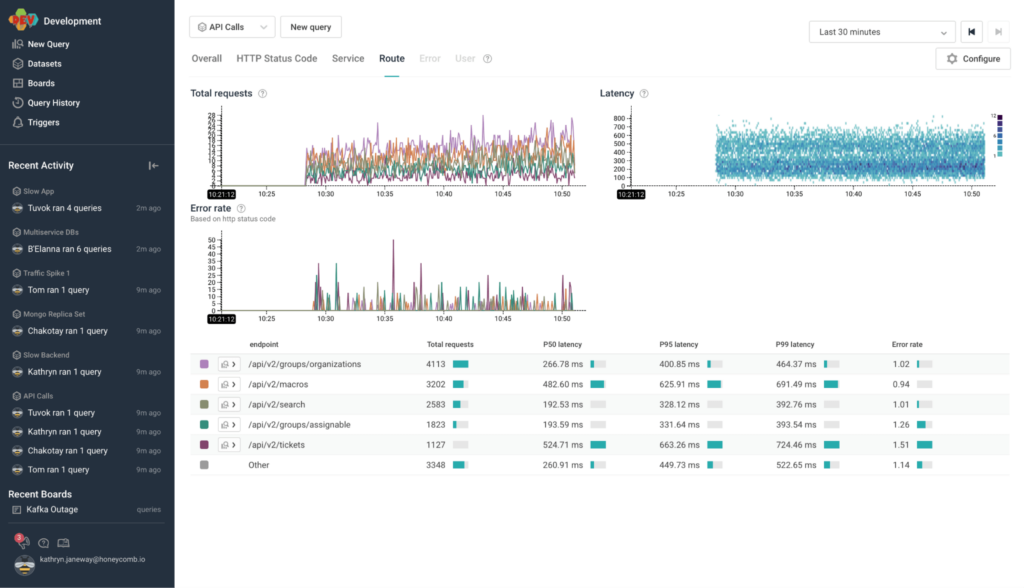
Honeycomb is a tool designed to provide insight into production systems, allowing for effective debugging and improved system health. As a platform for high cardinality data and collaborative problem solving, it's uniquely positioned to enhance observability in production environments.
Why I Picked Honeycomb: In my quest to select the ideal tool for observability and debugging, Honeycomb stood out due to its robust feature set and ability to handle complex, high-cardinality data. Honeycomb is the best tool for debugging and ensuring reliable observability in production systems because developers can ask any necessary questions to fully understand their software's behavior.
Standout features & integrations:
Honeycomb’s standout features include its dynamic sampling, which reduces noise, and its trace view, allowing for clear visibility into requests' path.
Additionally, Honeycomb's Query Builder enables complex queries, aiding in-depth debugging. Honeycomb provides vital integrations with numerous platforms like Kubernetes, AWS, and GCP and tools like Terraform, making it flexible and versatile.
Pros and Cons
Pros:
- Supports a wide range of integrations
- Robust trace view for improved observability
- Great for high cardinality data
Cons:
- UI may be overwhelming for beginners
- Has a steeper learning curve
- Starting price is higher compared to some competitors


GitLab offers a unified platform for managing the entire DevOps lifecycle in one application, with special attention given to robust CI/CD capabilities. It consolidates source code base management, CI/CD, and security into a single, efficient workflow, thereby earning the distinction of being the best for comprehensive CI/CD within a single application.
Why I Picked GitLab: I selected GitLab for its impressive ability to integrate numerous aspects of the DevOps lifecycle into one platform. This distinctive quality of streamlining varied tasks sets it apart from other tools. Moreover, its excellent CI/CD capabilities make it the prime choice for teams seeking to enhance their deployment process within a single application.
Standout features & integrations:
GitLab provides features like automated testing, multi-cloud deployments, and security scanning, all contributing to more efficient CI/CD practices.
It also integrates with popular tools like Kubernetes, Docker, and Prometheus, supporting effective and diverse tech stack implementation.
Pros and Cons
Pros:
- Extensive integration support
- Wide range of security features
- Consolidated CI/CD process
Cons:
- Complex UI can be intimidating
- Higher cost for premium features
- Steeper learning curve for beginners


VMware is a well-established provider of cloud computing and virtualization software and services. VMware supports private, public, and hybrid clouds, making it an excellent option for businesses to manage their IT environments efficiently.
Why I Picked VMware: While considering various tools for multi-cloud environment management, I selected VMware because of its comprehensive cloud solutions and extensive track record. VMware offers diverse solutions for data center, cloud infrastructure, networking, security, and digital workspace technologies. It simplifies multi-cloud management with ease.
Standout features & integrations:
VMware offers robust features like centralized management, network and security virtualization, and intelligent operations. It allows organizations to manage multi-cloud environments efficiently and securely.
Moreover, VMware integrates with other leading solutions such as Amazon Web Services (AWS), Microsoft Azure, Google Cloud Platform (GCP), and IBM Cloud.
Pros and Cons
Pros:
- Integrations with major cloud providers
- Robust security and networking features
- Comprehensive multi-cloud management capabilities
Cons:
- Dependency on vendor-specific technologies could limit flexibility
- Some users may find the platform complex due to its wide range of offerings
- Pricing information is not readily available
Other DevSecOps Tools
Here are some additional DevSecOps tools options that didn’t make it onto my shortlist, but are still worth checking out:
- Wiz IaC Scanning
For identifying risks in Infrastructure as Code
- Sysdig
For container and Kubernetes security
- Flosum
For Salesforce-specific DevOps
- Octopus Deploy
For automated deployments for .NET applications
- GitHub
Good for version control and collaborative software development
- Bitbucket
Good for integrated Git code management and collaboration
- Wrike
Good for project management and collaboration in large teams
- Splunk Enterprise
Good for big data analysis and operational intelligence
- Opsgenie
Good for incident management with powerful alerting functionality
- Open DevOps
Good for end-to-end DevOps workflow management
- Rollbar
Good for real-time error tracking and debugging
- Buildkite
Good for scalable and flexible CI/CD pipelines
- Travis CI
Good for continuous integration in software development
- SpiraTeam
Good for integrated project management with requirements and quality assurance
- PyCharm
Good for Python development with smart coding assistance
- Tempo Timesheets
Good for time tracking and reporting in Jira
- Anypoint Platform
Good for designing, building, and managing APIs and integrations


How I Evaluate DevSecOps Tools
I evaluate DevSecOps tools in two layers: baseline requirements like pipeline-integrated SAST, SCA, and secrets detection, and differentiators that matter when security and release velocity collide.
Core Functionality (Table Stakes For This List)
When I'm selecting tools for my list, I rank each one on a scale from 0 (does not offer the functionality) to 5 (excels in this area) for each core functionality listed below. Then, I calculate the tool's total score into a percentage. Each tool needs to achieve a minimum total score of 65% to be considered for inclusion.
- SAST & DAST Scanning: I check language coverage and false positive rates—tools that flag a SQL injection in a parameterized query waste developer time and erode trust.
- SCA & Dependency Analysis: Transitive dependency detection matters here, since a vulnerable package buried three layers deep in your supply chain is easy to miss without it.
- CI/CD Pipeline Integration: I look for native plugins across Jenkins, GitHub Actions, GitLab CI, and Azure DevOps, plus the ability to set build-fail thresholds on severity levels.
- Container & IaC Scanning: I evaluate whether the tool covers Dockerfiles, Kubernetes manifests, and Terraform templates, including misconfiguration checks beyond just CVE lookups.
- Secrets Detection: Good tools catch hardcoded API keys and credentials in both current commits and repo history, ideally before code is pushed via pre-commit hooks.
- Policy & Compliance Automation: I look for policy-as-code support and mapping to frameworks like SOC 2, PCI-DSS, and HIPAA so audit prep isn't a manual scramble every quarter.
Once I have a list of tools that meet this criteria, I consider what sets each platform apart.
Differentiating Factors (What Sets Vendors Apart)
Here's how I compare and contrast different vendors:
Standout Features
AI-powered remediation is a major differentiator—I look for tools that generate fix suggestions or auto-PRs ranked by exploitability, not just severity scores. A unified ASPM dashboard also matters when your team runs separate SAST, SCA, and container scans; consolidating findings into one risk-prioritized view cuts triage time dramatically. Developer-native workflows round this out. Tools that surface findings directly in IDE plugins or pull request comments get faster adoption than those requiring engineers to log into a separate portal.
Beyond Features
Integration ecosystem depth is one of the first things I evaluate. A DevSecOps tool needs to plug into your SCM, ticketing system, and SIEM without custom glue code. Deployment flexibility matters just as much—teams in regulated industries often need self-hosted or air-gapped options, while fast-scaling startups want SaaS they can connect in minutes. I also check pricing model transparency, since per-developer versus per-repo licensing can mean wildly different costs depending on whether your org has 50 developers or 500 working across a handful of monorepos.
How to Choose DevSecOps Tools
It’s easy to get bogged down in long feature lists and complex pricing structures. To help you stay focused as you work through your unique software selection process, here’s a checklist of factors to keep in mind:
| Factor | What to Consider |
|---|---|
| Scalability | Is the tool capable of growing with your team? Consider how well it can handle increased data loads and users without a drop in performance. |
| Integrations | Does the tool integrate with your current systems like CI/CD pipelines? Check for native integrations with software such as Docker or Docker alternatives to avoid custom development work. |
| Customizability | Can you tailor the tool to fit your specific workflows? Look for options to adjust features and settings to suit your processes. |
| Ease of use | How intuitive is the tool for new users? Avoid steep learning curves by choosing tools with user-friendly interfaces and clear documentation. |
| Implementation and onboarding | How long does it take to get up and running? Consider the time and resources needed for setup and how quickly your team can start seeing benefits. |
| Cost | Are there hidden costs beyond the subscription fee? Evaluate the total cost of ownership, including support, training, and potential overage charges. |
| Security safeguards | Are there built-in security measures to protect your data? Ensure the tool complies with industry standards and offers features like encryption and audits. |
| Compliance requirements | Does the tool support compliance with regulations like GDPR or HIPAA? Verify that it meets necessary standards, especially if you handle sensitive data. |
What Are DevSecOps Tools?
DevSecOps tools are software solutions that integrate security practices into the DevOps process. These tools are typically used by developers, security teams, and IT operations professionals to enhance collaboration and ensure security throughout the software development lifecycle. Automated security testing, continuous monitoring, and compliance reporting features help teams detect vulnerabilities early and maintain secure environments. Overall, these tools provide a way to efficiently manage security risks while accelerating development.
Features
When selecting DevSecOps tools, keep an eye out for the following key features:
- Automated security testing: DevOps testing tools integrate security checks into the development process to catch vulnerabilities early, saving time and effort.
- Continuous monitoring: Provides real-time insights into system health, helping teams quickly identify and address potential issues.
- Compliance reporting: Offers tools to generate reports that ensure adherence to industry regulations and standards.
- Multi-cloud management: Allows seamless management of resources across different cloud platforms, enhancing flexibility.
- Version control: Enables tracking and managing changes to source code, ensuring consistency and collaboration among team members.
- Anomaly detection: Identifies unusual patterns in data that could indicate security threats, helping prevent breaches.
- Customizable dashboards: Provides a user-friendly interface for visualizing data and monitoring key performance metrics.
- Integration capabilities: Connects easily with other tools and platforms, reducing the need for manual data transfers.
- Threat intelligence: Delivers insights into emerging threats, helping teams stay ahead of potential vulnerabilities.
- Automated remediation: Suggests or implements fixes for identified issues, reducing the burden on your security team.
Benefits
Implementing DevSecOps tools provides several benefits for your team and your business. When combined with advanced AI tools for DevOps, these benefits can be amplified significantly. Here are a few you can look forward to:
- Enhanced security: Automated security testing and anomaly detection help catch vulnerabilities early, reducing the risk of breaches.
- Improved compliance: Compliance reporting features ensure your processes meet industry standards, simplifying audits and regulatory checks.
- Faster development cycles: By integrating security into CI/CD pipelines, these tools allow teams to deliver software faster without compromising security.
- Increased collaboration: Version control and integration capabilities foster teamwork by ensuring everyone is on the same page with code changes.
- Better resource management: Multi-cloud management and customizable dashboards offer a clear view of resource usage, helping optimize operations.
- Proactive threat management: Threat intelligence keeps your team informed about emerging risks, allowing you to act before issues arise.
Costs & Pricing
Selecting DevSecOps tools requires an understanding of the various pricing models and plans available. Costs vary based on features, team size, add-ons, and more. The table below summarizes common plans, their average prices, and typical features included in DevSecOps tools solutions:
Plan Comparison Table for DevSecOps Tools
| Plan Type | Average Price | Common Features |
|---|---|---|
| Free Plan | $0 | Basic security testing, limited integrations, and community support. |
| Personal Plan | $5-$25/user/month | Enhanced security testing, version control, and basic analytics. |
| Business Plan | $30-$75/user/month | Advanced monitoring, compliance reporting, and multi-cloud management. |
| Enterprise Plan | $100-$200/user/month | Customizable dashboards, dedicated support, and full integration capabilities. |
DevSecOps Tools FAQs
Here are some answers to common questions about DevSecOps tools:
What is the primary purpose of DevSecOps tools?
The primary purpose of DevSecOps tools is to integrate security practices into the DevOps process. These tools help your team identify vulnerabilities early in the development lifecycle, ensuring that security is an ongoing concern rather than an afterthought. By using these tools, you can automate security checks, facilitate collaboration between teams, and maintain compliance with industry standards.
Are DevSecOps tools suitable for small teams?
Yes, DevSecOps tools can be suitable for small teams. Many tools offer scalable solutions that fit different team sizes, providing essential security features without overwhelming smaller teams. Look for tools that offer flexible pricing plans and user-friendly interfaces to help your team integrate security practices without needing extensive resources or expertise.
How do DevSecOps tools enhance team collaboration?
DevSecOps tools enhance team collaboration by integrating security into the development workflow. They provide a shared platform where developers, operations, and security teams can work together, addressing security issues as they arise. Features like real-time alerts and shared dashboards keep everyone informed, promoting a culture of transparency and cooperation.
Can DevSecOps tools be integrated with existing systems?
Yes, most DevSecOps tools can be integrated with existing systems. They typically offer compatibility with popular platforms like AWS, Azure, Docker, and Kubernetes. When choosing a tool, check its integration capabilities to ensure it fits seamlessly into your current tech stack, facilitating a smoother transition and better workflow efficiency.
What’s Next:
If you're in the process of researching DevSecOps tools, connect with a SoftwareSelect advisor for free recommendations.
You fill out a form and have a quick chat where they get into the specifics of your needs. Then you'll get a shortlist of software to review. They'll even support you through the entire buying process, including price negotiations.